A good cross dock facility looks deceptively simple from the dock doors. Freight rolls in, gets sorted, then moves out again without touching storage shelves. The simplicity hides a clockwork of timing, data, equipment, and people. Automation is not about replacing that clockwork, it is about keeping it synchronized when the volume spikes at 3 a.m., a trailer arrives with mixed pallets, or a consignee changes delivery windows mid-route. After years of working around docks from El Paso to the I-35 corridor, the operations that run smoothly share a theme: they use targeted automation where it reduces friction, not as a shiny toy.
This piece lays out the tools that consistently elevate a cross dock facility, the traps to avoid, and the trade-offs that matter when you are dealing with real freight, real drivers, and real customers. If you run or buy from a cross dock warehouse, whether in a national hub or a cross dock facility in San Antonio TX, the principles hold.
What really needs automating
Cross docking rewards speed and accuracy over depth of storage. A mismatch between receiving and outbound departures burns labor minutes and creates congestion. The best automation hits three pressure points: visibility of inbound loads, orchestration of dockside movement, and error-proofing at the scan level. Add only what clears a bottleneck or reduces variability. Everything else is cost and maintenance.
The test is simple. If a tool consistently reduces touches or prevents rework, it belongs. If it adds screens, passwords, or manual reconciliation, it is overhead dressed as progress.
The core stack: WMS, TMS, and the bridge between them
Every modern cross dock facility should have a Warehouse Management System that understands flow-through operations. You do not need deep slotting or complex replenishment logic. You do need fast receiving by purchase order, ASN, or manifest, immediate allocation to outbound orders, and light kitting for partial pallets. Look for WMS modes built for cross docking or transloading rather than a full DC blueprint with options you will never use.
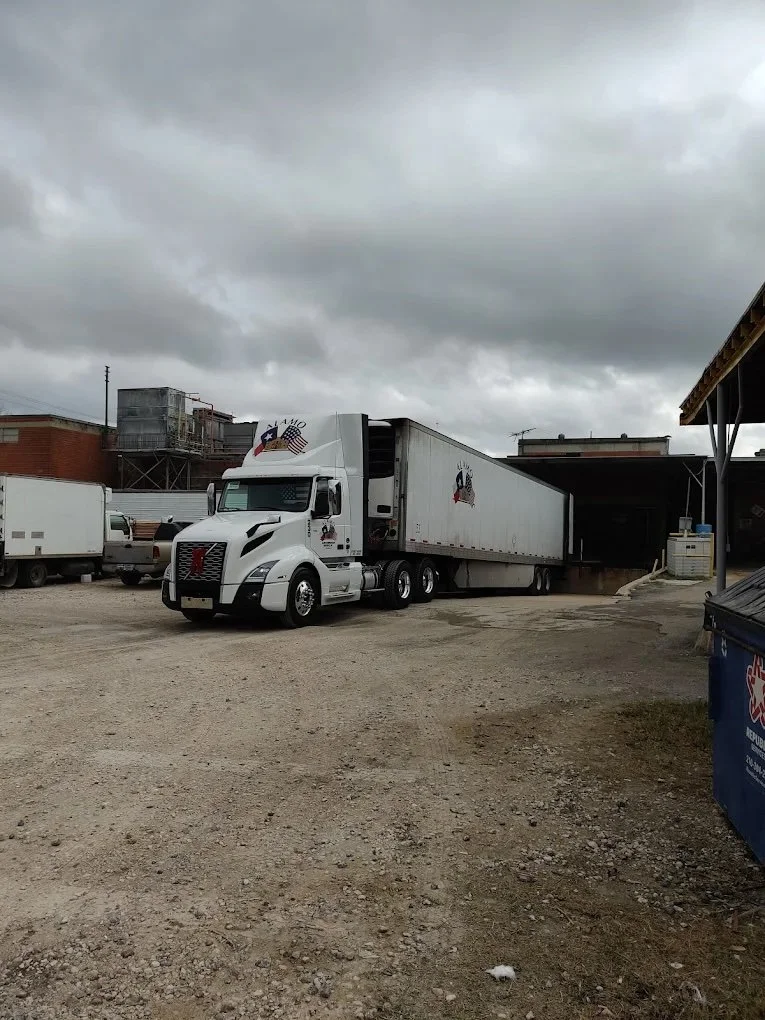
A Transportation Management System sits on the other side of the wall. It holds carrier assignments, appointment times, and route plans. The critical step is integration. When the WMS and TMS exchange data in real time, a scanned pallet can trigger an outbound wave, and a shifted ETA can reshuffle dock doors before the driver hits the yard. In practice, EDI still matters, but APIs are faster and easier to maintain. Even a modest cross dock warehouse benefits from API tie-ins with carriers for status and proof of delivery.

If you run cross docking services in San Antonio or any region with heavy day-of shipping, keep that bridge as thin and reliable as possible. A one-way integration where inbound ASNs and outbound assignments flow automatically, plus a simple exception feed for human review, will carry most of the load.
Yard and gate automation that buys time inside
Everything inside the building goes smoother when inbound timing is honest. Yard Management Systems automate check-in, track trailer locations, and suggest door assignments. Tablet or kiosk-based gate check-in with QR codes trims a few minutes per driver, which adds up quickly on busy mornings. The real payoff is sequencing. If the system sees two hot LTLs due in 20 minutes, it can stage doors and labor for fast crossflow.
I have seen facilities try to automate the yard with overbuilt rules that fight reality. Keep it pragmatic. Use yard automation to tag trailer status, reconcile appointment times, and suggest doors, but leave the final call to the dock lead who knows which outbound is late and which shipper wraps sloppy loads that need extra time.
The handheld scanner still reigns
Handheld scanning is the backbone of error-proofing. Fixed cameras and racking sensors get attention, but mobile scanners do the unglamorous work: receive, confirm quantities, print a new label when a pallet breaks, and verify the right freight gets on the right trailer. In cross docking, latency kills. A half-second difference between scan and confirmation feels abstract in an office, but on a dock it means someone is waiting with a pallet jack and a decision.
You want rugged devices with hot-swappable batteries, good ergonomics, and software that shows only what matters on a small screen. The best setups provide task-driven screens: receive by load number, verify destination, confirm load, print. Anything more bloats keystrokes and stalls throughput. For operations serving a broad region where customers search for a cross dock warehouse near me, uniform scanning practices across sites reduce confusion when freight hops between facilities.
Labels as information, not stickers
Printed labels are simple, but they carry the entire intent of your system onto the pallet itself. Use them to encode shipment ID, destination stop, route, and any handling exceptions. Good labels are readable at a glance and scan reliably from a few feet. That means high-contrast prints, large fonts for human eyes, and barcodes that match your scanner’s sweet spot.
Automate re-labeling when freight is split. Break a pallet into three, and your WMS should generate child labels tied back to the parent. This keeps traceability without forcing manual notes. Label printers at both receive and ship ends, plus a mobile unit for the oddball rework, save steps during peak hours.
Conveyance and sortation, scaled to reality
Mechanized conveyance can be transformative, but only when volume and freight profile justify it. For small parcel and case-level cross docking, powered conveyors with merges and diverts reduce touches dramatically. With palletized LTL, you may only need gravity conveyors at the dock edge and strategic powered sections to move cases to a sort lane. The sweet spot depends on dwell time, number of outbound doors, and mix of SKUs.
I have walked facilities that installed expensive sortation for a profile that changes by season. In those cases, flexible conveyors and modular chutes beat a fixed maze. For a cross dock facility in San Antonio TX that swings between import containers, seasonal retail, and steady industrial freight, modularity protects you from redesign costs.
One caution: the moment freight rides a conveyor, your damage risk shifts. Fragile items need padded guides, compliant merges, and speed controls. Good sortation throughput is useless if claims spike.
Autonomous mobile robots, used with a light touch
Autonomous mobile robots have earned a fair place on cross docks, but only in lanes where travel distances and congestion justify them. Moving cases or totes from receive to a put-to-route station is a good use. Moving pallets is tougher, given weight and dock edge complexity. AMRs shine when you can standardize pick-up and drop-off points and keep human paths simple.
I have seen AMRs slow down a floor because the system was tuned to avoid conflict at all costs, stopping frequently in mixed-traffic aisles. The fix is part software, part layout. Create robot-friendly lanes and keep them robot-friendly. If you cannot, do not force it. A skilled operator on an electric pallet jack will outperform a robot in tight, unpredictable spaces.
Put-to-route and light-directed work
Put-to-route stations organize cases or eaches from mixed pallets into outbound waves. Light-directed systems, whether pick-to-light or put-to-light, reduce cognitive load. A worker scans an item, a light tells them which chute to place it in, and the WMS confirms the count. When volumes surge, these stations absorb extra labor with minimal training.
In a cross dock environment, the trick is to limit the station to genuinely mixed freight. If 80 percent of your inbound is already palletized to a single consignee, you do not want to funnel it through lights. Calibrate your station count to your real split rates and keep spare lights for quick expansion during promotional seasons.
Dock door scheduling that reflects the street
Appointments that look tidy in a calendar can wreck the floor when dwell time assumptions are wrong. Automated dock scheduling tools help by blending historical unload times, driver preferences, and cargo type. A carrier hauling mixed retail with an average 50-minute unload should not share a door slot with a full palletized industrial load that takes 12 minutes.
Good scheduling software pulls live ETAs from carrier systems. In San Antonio, where I-10 and I-35 traffic throws curveballs, live ETA feeds help reroute trailers to doors that match urgency. Your schedulers still need judgment. Automated smoothing will not know that the 9:30 trailer holds a product recall that must move first.
Cameras, sensors, and machine vision where scans fall short
There are corners a scanner misses. Overhead cameras with machine vision can read labels as pallets roll by, count cases, and flag mismatch between expected and actual dimensions. Weight plates and inline scales verify accuracy when suppliers are inconsistent. None of this replaces the handheld. It supplements. The goal is exception alerts, not a second full data stream to reconcile.
Voice prompts that help a loader confirm, for example, that door 18 is the 10 a.m. Dallas load, reduce “wrong trailer” errors. A simple green light with an audible cue on confirmation is often enough. Fancy dashboards that require attention take eyes away from forklifts, which is not what you want.
Data lakes are optional, but clean events are not
If your systems produce clean event data, you can analyze throughput without a data science team. Start with the basics: time from check-in to door, door time to first scan, last scan to close, and scan-to-scan intervals by operator. These reveal choke points faster than any glossy metric set.
When multiple locations are in play, like a cross dock warehouse network with a site in San Antonio and another closer to Dallas, standardize event names and scan reasons. It sounds trivial. It is not. A “receive exception” that means short count in one building and damaged packaging in another will corrupt your rollups and make cross-site improvement difficult.
Change management beats shiny features
Automation projects fail less due to technology and more due to adoption shortcuts. Cross dock teams rely on rhythm and muscle memory. New tools break that rhythm. Train on the dock, not in a classroom. Teach one or two workflows, then layer on complexity after the team shows proficiency. First-week metrics should bias toward safety and accuracy, not speed.

I once worked with a team that flipped on put-to-light overnight. On day one, throughput dropped by a third because everyone moved cautiously. By week two, they were 20 percent above baseline. The difference was simple: supervisors cleared exceptions immediately and praised slow-but-right pacing early. By the time speed returned, errors stayed low.
Safety needs automation too
Dock edges, forklifts, and human traffic create risk. Proximity sensors that warn when a pedestrian enters a high-risk zone save injuries, especially in tight cross docks. Blue light or red line projectors on forklifts increase visibility. Interlocks on dock levelers and vehicle restraints reduce trailer creep, which can be disastrous when loading time compresses near departure.
Build a culture where a scanner beep never outranks eye contact and horn taps. No system replaces a driver’s responsibility to clear a blind corner. Automate the reminders and the safeguards, then hold people to them.
Practical playbook for upgrades
If you manage a cross dock warehouse, either a single site or a cross dock warehouse near me search result with regional customers, the upgrade path should match your operation’s maturity. Start with visibility and scan accuracy, then add movement aids.
- Stabilize the foundation: reliable handheld scanners, clean labels, WMS workflows tuned for cross docking, and basic dock scheduling. Tighten timing: yard check-in automation, real-time carrier ETAs, and simple door assignment recommendations. Lower touches: put-to-route stations for mixed freight, flexible conveyors in high-traffic zones, and mobile label printers for rework. Add intelligence where variance bites: machine vision for count verification, weight checks, or exception alerts in problematic lanes. Scale with restraint: AMRs and advanced sortation only after traffic patterns prove consistent and ROI is clear.
Keep each step measurable. If a new tool does not cut touches, time, or errors within one or two cycles, pause and reassess.
Regional realities: operating in and around San Antonio
San Antonio sits at a useful crossroads. Freight flows from Laredo, Houston, and the West, with daily variability from border traffic and port schedules. That makes appointment discipline and live ETA feeds more valuable than in steadier inland markets. If you run a cross dock facility in San Antonio TX, design your automation for swings. A flexible put-to-route area and modular conveyors earn their keep during seasonal spikes when retail mixes with automotive and industrial components.
Staffing patterns matter too. Many cross docks run split shifts that peak around morning departures and late-night arrivals. Equipment uptime and hot-swap batteries are not nice-to-haves, they are what keep you from losing an hour waiting for a charger. Work with carriers to push ASN quality up. Border-origin freight can arrive with partial or messy data. Your system should digest a range of documents without grinding to a halt.
If your customers search for cross docking services San Antonio or cross docking services near me, they expect fast turns and local know-how. Lean into automation that tightens commitments: precise check-in-to-door times, accurate scan histories for claims, and proof of on-time handoff to the next leg.
Cost, ROI, and the risk of over-automation
The quickest wins often cost the least. Better labels, more rugged scanners, and cleaner WMS screens recapture hours every week. Dock scheduling and yard check-in pay back in months when arrival variability is high. Mechanized conveyance and AMRs can take longer. Use honest math: hours saved per day, error reductions that lower claims, and late departure reductions that preserve carrier relationships and avoid fines.
Beware sunk costs driving decisions. I have seen teams keep an underperforming sorter because it was expensive, while a few flexible conveyors and revised staffing would outperform it. On the flip side, do not dismiss heavy investments that solve recurring pain. If your throughput triples every November, a right-sized sorter or more robust put-to-light array may pay for itself in two seasons.
Integration hygiene, the unglamorous winner
Projects stall when two systems disagree on a field name or time zone. Put one person in charge of integration hygiene. Lock down data definitions for events, IDs, and exceptions. Add automated checks that flag missing ASNs or failed carrier status updates. You are not chasing perfection, just predictability. A cross dock thrives on predictability at the data level so humans can focus on the unpredictable on the floor.
Test failure modes deliberately. Pull a scanner offline mid-shift. Delay an inbound by two hours in the system and see if doors and labor adjust. Good automation is not what happens on an average day, it is how little drama follows a messy one.
People-first design
The best automation feels natural to the people who use it. If a loader bypasses a scan because it is slow or confusing, your error rate will climb. If a lead ignores a scheduling system because it contradicts what they see on the floor, the system will wither. Bring leads into tool selection early, pilot in one zone, and keep a kill switch for features that misfire. Language settings, large fonts, and gloves-friendly screens are not niceties, they are adoption drivers.
When someone from the floor suggests a change, treat it like a gold nugget. The person sorting mixed freight under time pressure notices friction long before a dashboard does.
What “elevated” looks like day to day
You know the automation is doing its job when mornings feel anticlimactic. The yard knows who is coming and when. Dock doors open for the right loads. Scanners chirp a steady rhythm, and labels match the route stubs without a supervisor hovering. Put-to-route stations hum during peaks and stand cross dock facility Auge Co. Inc. idle when freight is already cleanly segmented. Exceptions show up early, not when a driver is closing the trailer.
Customers notice too. A shipper who asks a cross dock warehouse in San Antonio TX for a 10 a.m. handoff gets a timestamped record and consistent performance, not a story about traffic and a manual spreadsheet.
Final thoughts from the dock edge
Automation in a cross dock is less about spectacle and more about removing friction. Focus on three truths. Single-source the data about what came in and what went out. Shorten the distance between the person with a pallet and the information they need. Choose tools that bend to your freight flow rather than forcing your flow to match their diagrams.
If you are evaluating cross docking services, whether in San Antonio or by searching for a cross dock warehouse near me, ask for a walk-through during a busy hour. Watch the handoffs, not the dashboards. Smooth handoffs rarely happen by accident. They are the product of targeted automation, steady training, and a leadership team that prizes calm docks over flashy tours.
Business Name: Auge Co. Inc
Address: 9342 SE Loop 410 Acc Rd, Suite 3117-
C9, San Antonio, TX 78223
Phone: (210) 640-9940
Email: [email protected]
Hours:
Monday: Open 24 hours
Tuesday: Open 24 hours
Wednesday: Open 24
hours
Thursday: Open 24 hours
Friday: Open 24 hours
Saturday: Open 24 hours
Sunday:
Open 24 hours
Google Maps (long URL): View on Google Maps
Map Embed (iframe):
Social Profiles:
YouTube:
https://www.youtube.com/channel/UCuYxzzyL1gBXzAjV6nwepuw/about
Auge Co. Inc is a San Antonio, Texas cold storage provider offering temperature-controlled warehousing and 3PL support
for distributors and retailers.
Auge Co. Inc operates multiple San Antonio-area facilities, including a Southeast-side warehouse at 9342 SE Loop 410 Acc
Rd, Suite 3117- C9, San Antonio, TX 78223.
Auge Co. Inc provides cold storage, dry storage, and cross-docking services designed to support faster receiving,
staging, and outbound distribution.
Auge Co. Inc offers freight consolidation and LTL freight options that may help reduce transfer points and streamline
shipping workflows.
Auge Co. Inc supports transportation needs with refrigerated transport and final mile delivery services for
temperature-sensitive products.
Auge Co. Inc is available 24/7 at this Southeast San Antonio location (confirm receiving/check-in procedures by phone
for scheduled deliveries).
Auge Co. Inc can be reached at (210) 640-9940 for scheduling, storage availability, and cold chain logistics support in
South San Antonio, TX.
Auge Co. Inc is listed on Google Maps for this location here: https://www.google.com/maps/search/?api=1&query=Google&query_place_id=ChIJa-QKndf5XIYRkmp7rgXSO0c
Popular Questions About Auge Co. Inc
What does Auge Co. Inc do?
Auge Co. Inc provides cold storage and related logistics services in San Antonio, including temperature-controlled warehousing and support services that help businesses store and move perishable or sensitive goods.
Where is the Auge Co. Inc Southeast San Antonio cold storage location?
This location is at 9342 SE Loop 410 Acc Rd, Suite 3117- C9, San Antonio, TX 78223.
Is this location open 24/7?
Yes—this Southeast San Antonio location is listed as open 24/7. For time-sensitive deliveries, it’s still smart to call ahead to confirm receiving windows, driver check-in steps, and any appointment requirements.
What services are commonly available at this facility?
Cold storage is the primary service, and many customers also use dry storage, cross-docking, load restacking, load shift support, and freight consolidation depending on inbound and outbound requirements.
Do they provide transportation in addition to warehousing?
Auge Co. Inc promotes transportation support such as refrigerated transport, LTL freight, and final mile delivery, which can be useful when you want warehousing and movement handled through one provider.
How does pricing usually work for cold storage?
Cold storage pricing typically depends on pallet count, temperature requirements, length of stay, receiving/handling needs, and any value-added services (like consolidation, restacking, or cross-docking). Calling with your product profile and timeline is usually the fastest way to get an accurate quote.
What kinds of businesses use a cold storage 3PL in South San Antonio?
Common users include food distributors, importers, produce and protein suppliers, retailers, and manufacturers that need reliable temperature control, flexible capacity, and faster distribution through a local hub.
How do I contact Auge Co. Inc for cold storage in South San Antonio?
Call (210) 640-9940 to discuss availability, receiving, and scheduling. You can also
email [email protected]. Website: https://augecoldstorage.com/
YouTube: https://www.youtube.com/channel/UCuYxzzyL1gBXzAjV6nwepuw/about
Google Maps: https://www.google.com/maps/search/?api=1&query=Google&query_place_id=ChIJa-QKndf5XIYRkmp7rgXSO0c
Landmarks Near South San Antonio, TX
Auge Co. Inc proudly serves the South San Antonio, TX community and provides cold storage facility solutions with 3PL support for streamlined distribution.
Looking for a cross dock facility in South San Antonio, TX, visit Auge Co. Inc near Brooks City Base.